May 2026/Fullstack/professional

Teman Tuli

Teman Tuli is positioned as a privacy-first accessibility system where readability, explicit user control, and transcript ownership are treated as product essentials, not add-on features.

project links
Domain
Fullstack
Role
Accessibility Product Engineer
Output
Mobile App
Category
Accessibility Learning Assistant
Project Framing

A source-backed case study built for recruiter review

This reading path makes the problem choice, evidence quality, user framing, execution decisions, and proof trail visible without overstating what the sources support.

Project Type
professional

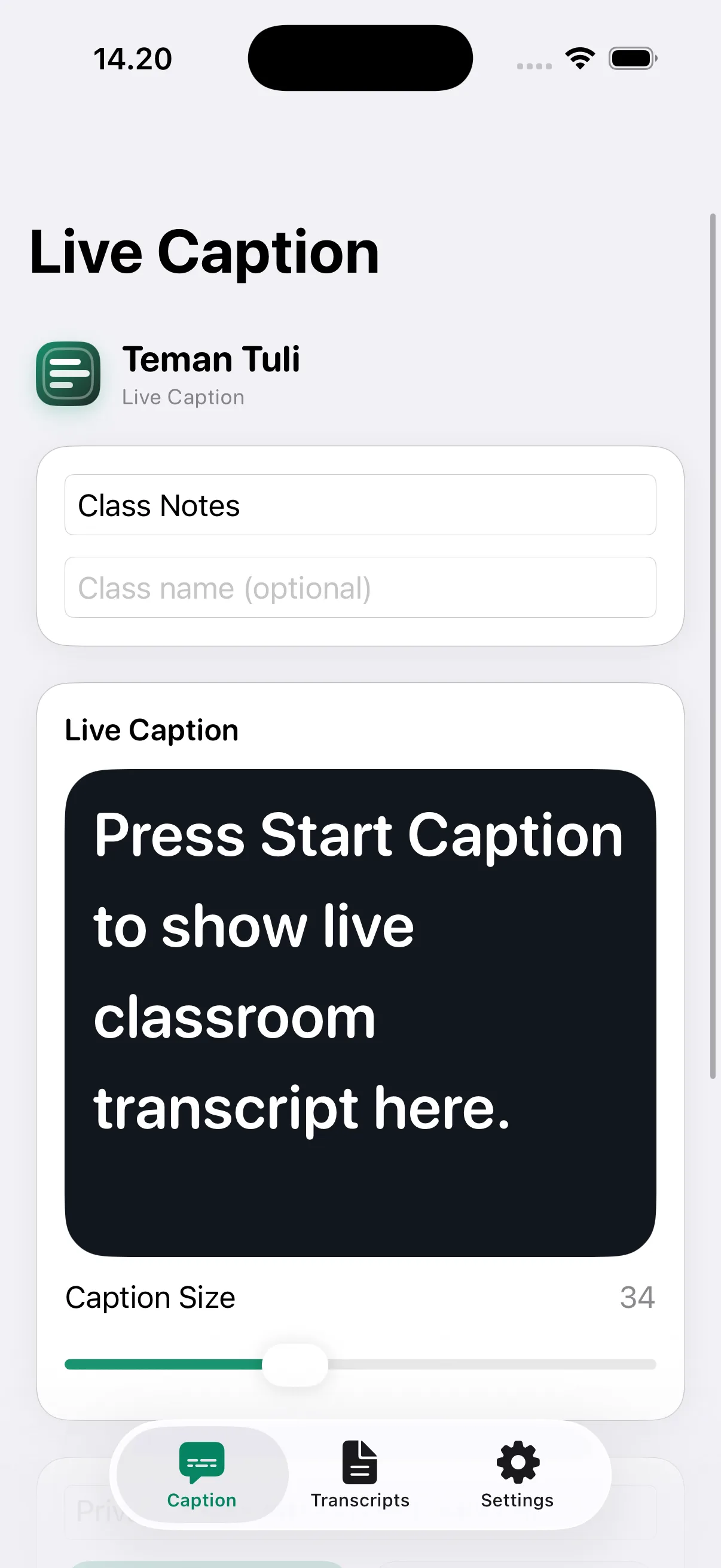
Accessibility-first mobile product that helps Deaf and hard-of-hearing students follow classroom discussions through live captions and private transcript sessions.

Orientation
Hybrid

Creates a reviewable accessibility baseline that emphasizes real-time readability and privacy-by-default behavior for learning continuity.

Core Stack
SwiftUI · TypeScript · Fastify · Prisma

SwiftUI + MVVM iOS client paired with Fastify + Prisma backend API for user-scoped transcript session CRUD and feedback capture.

Why This Problem Mattered

Problem framing before execution

The case-study layer starts with why this problem was selected and how the context justified investment.

Problem Framing Map

Issue

Classroom conversation speed and overlap can cause sustained context loss for Deaf students when support tools are fragmented.

Context

The repository frames Teman Tuli as an accessibility-first product where live caption utility must be paired with privacy and post-class review control.

Why Selected

This case is high value because it combines inclusion-oriented product framing with concrete technical implementation across client and backend layers.

Problem statement

Fast-paced classroom discussions create context loss for Deaf learners when captions, notes, and private review flows are not integrated.

Solution thesis

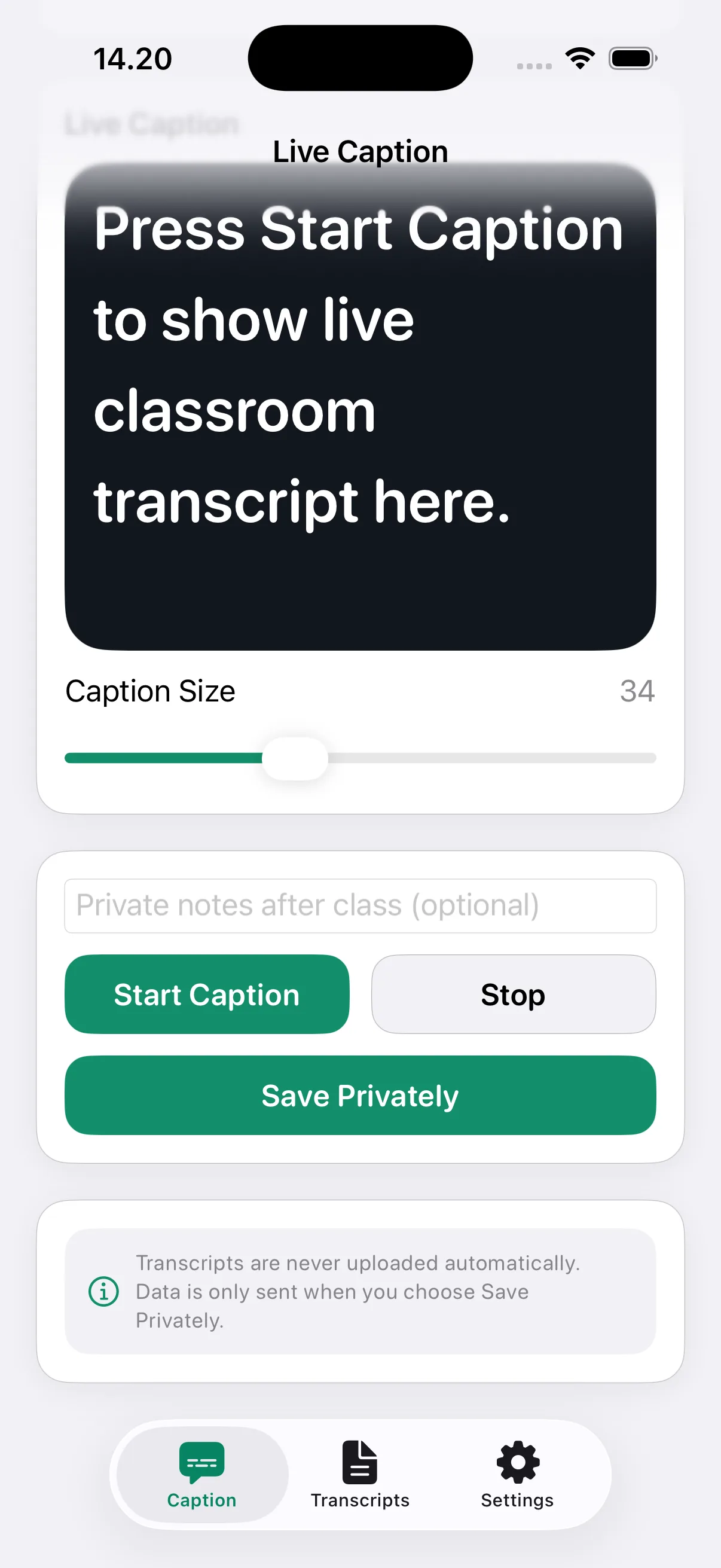
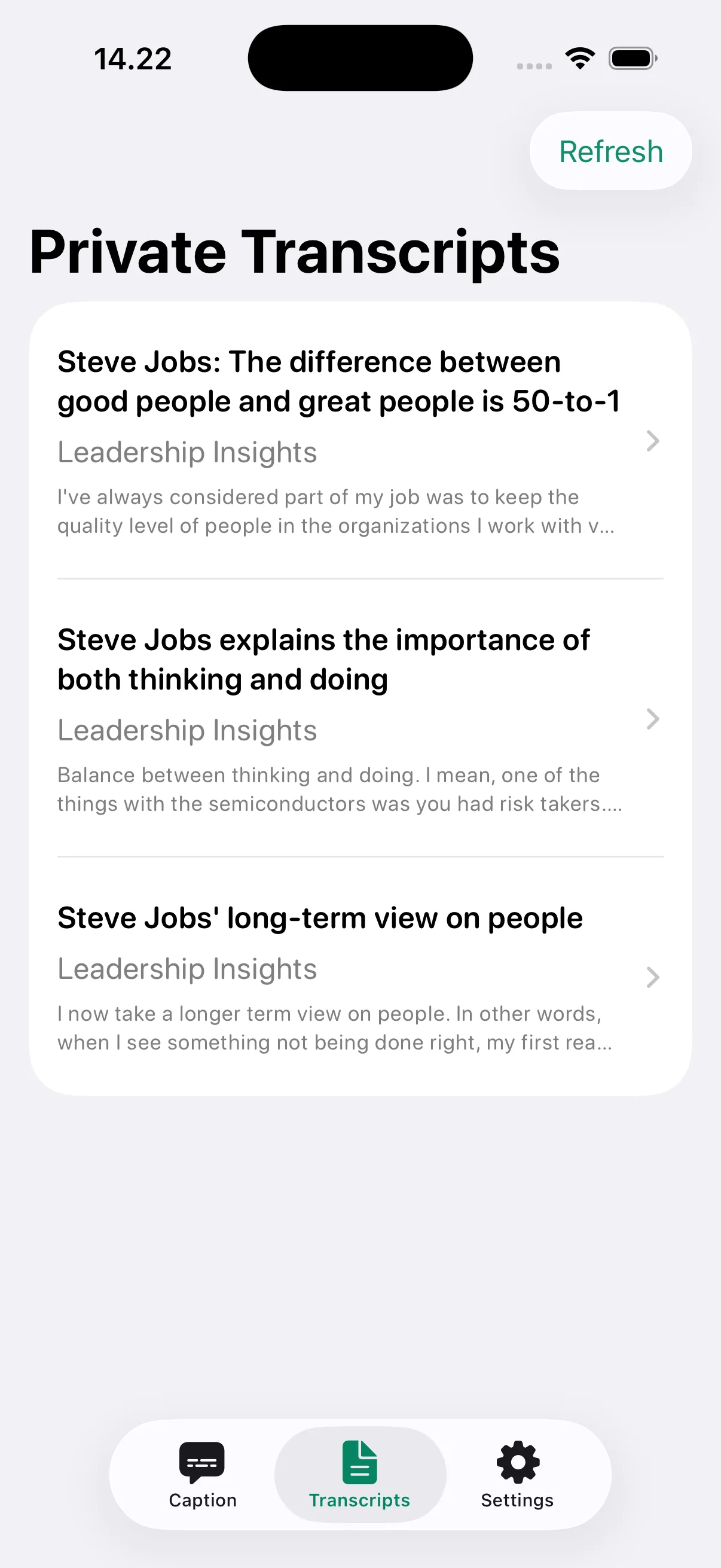
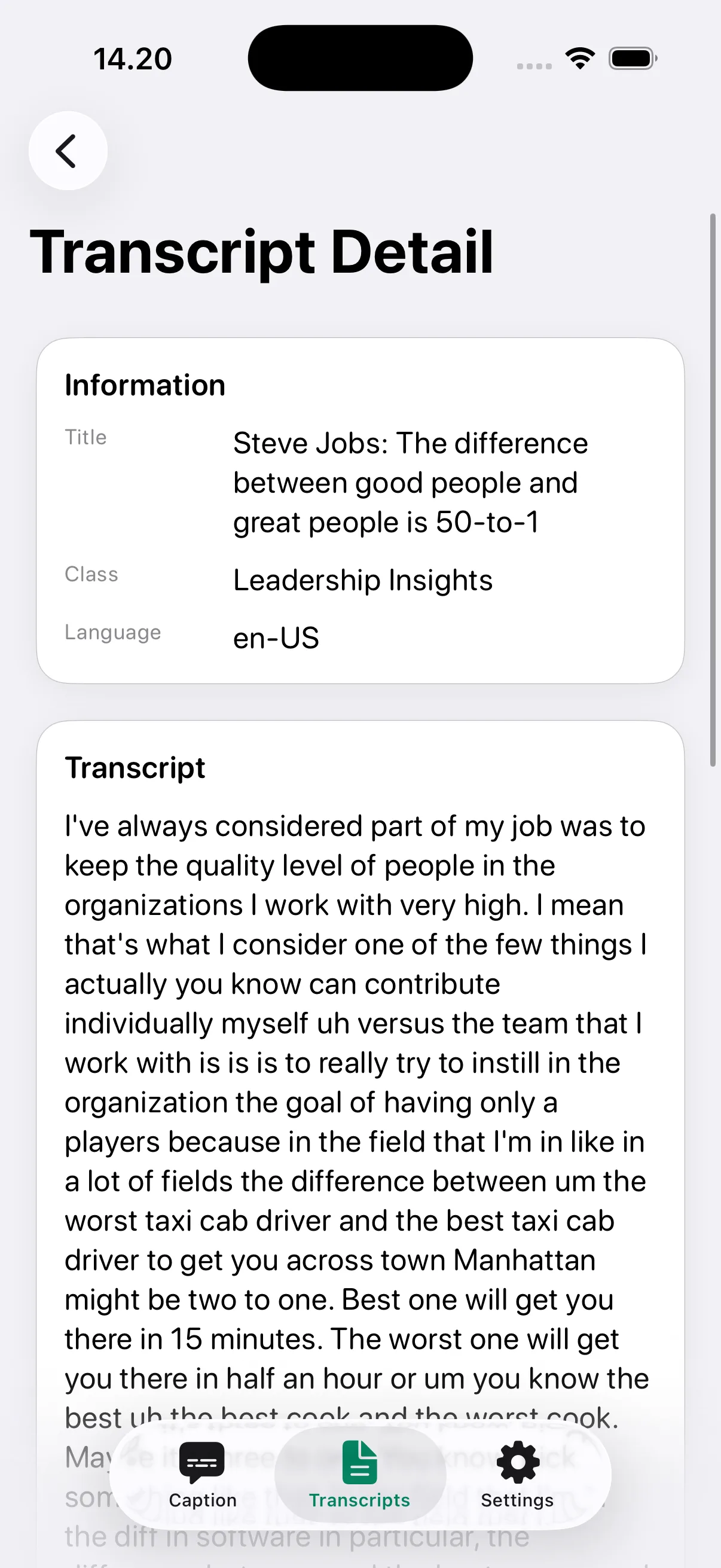
Built an iOS + API workflow for live captioning, explicit private save, transcript archive, and user-scoped session review.

Research and Evidence

What supports the narrative

Evidence is surfaced with its source type and credibility note so the recruiter can quickly see what is directly backed versus intentionally constrained.

User-problem evidence
public

README details classroom communication barriers and the need for immediate readable captions.

Credibility: Directly documented in the repository problem context and target-user sections.
Open supporting public source
Research artefact evidence
public

Problem statement and hypothesis documentation is versioned under research evidence files.

Credibility: Traceable to the `docs/evidence/research` structure in the repository.
Open supporting public source

Credibility Notes

  • Claims remain within documented accessibility workflow, architecture, and repository evidence.
  • No clinical efficacy, institutional rollout, or classroom outcome metric is claimed beyond current source-backed artefacts.
Who The User Was

User framing stays explicit

When formal research artefacts are not available, the page still explains who the work served and why that user framing is justified by the existing sources.

Primary user
Deaf and hard-of-hearing university students needing real-time caption support and private transcript review.

The product flow explicitly starts from live caption readability and explicit private save controls.

Secondary stakeholder
Supportive peers or facilitators who help ensure accessible classroom participation.

The system provides structured transcript sessions and notes for clearer follow-up collaboration.

Decision Flow

How design thinking translated into decisions

The goal is to show the trace from research and insight to concrete product or system decisions, then to the outcomes those decisions supported.

Design Thinking Flow

Each step keeps the movement from evidence to action explicit before the rationale expands it.

  1. Step 1
    Inclusion-first framing

    Started from communication-equity barriers instead of generic note-taking features.

    Signal: Live caption visibility became the primary product anchor.
  2. Step 2
    Privacy boundary design

    Introduced explicit transcript save action and user-scoped access rules.

    Signal: Data ownership remains with the user at persistence decision points.
  3. Step 3
    Continuous refinement loop

    Included notes and caption feedback pathways for iterative quality improvement.

    Signal: The product captures post-session learning signals, not only raw text.

Decision Rationale

Each decision keeps the path from insight to execution visible before ending on the outcome signal.

Explicit save control
Insight

Automatic persistence can erode trust when transcript content may be sensitive.

Decision

Required deliberate `Save Private` behavior before backend storage.

Outcome

Privacy posture is clear and consistent in the product story.

Dual-surface architecture
Insight

Accessibility workflows need both immediate mobile interaction and reliable session storage.

Decision

Built SwiftUI client with dedicated Fastify/Prisma API for transcript lifecycle.

Outcome

The system remains extensible while preserving user-scoped transcript rules.

Solution and System Execution

Execution choices and delivery details

This section preserves the technical and operational substance: architecture, responsibilities, trade-offs, and implementation quality signals.

System Design

SwiftUI + MVVM iOS client paired with Fastify + Prisma backend API for user-scoped transcript session CRUD and feedback capture.

Source-backed Impact

Creates a reviewable accessibility baseline that emphasizes real-time readability and privacy-by-default behavior for learning continuity.

Responsibilities

  • Defined accessibility-first product flow and privacy boundaries
  • Implemented mobile caption workflow and transcript persistence controls
  • Structured backend API around user-scoped transcript ownership

Stack Decisions

  • Used SwiftUI + MVVM to keep iOS accessibility interactions maintainable
  • Used Fastify + Prisma for explicit API contracts and persistence clarity
  • Enforced explicit save action instead of automatic transcript upload

Trade-offs

  • Prioritized private-by-default transcript policy over viral sharing features
  • Accepted simulator-first validation limits to maintain execution speed

Challenges

  • Balancing immediate caption readability with privacy-sensitive persistence
  • Keeping transcript UX coherent across live, archive, and detail states
Execution Visuals

Architecture and outcome snapshot

This visual layer keeps execution readable: how the system or delivery flow was structured and which source-backed outcomes mattered most.

Execution Flow

  1. Step 1
    Live Caption Session

    User starts real-time caption capture in an accessibility-first interface.

    Signal: Immediate readability is prioritized during class flow.
  2. Step 2
    Private Persistence Gate

    Transcript is saved only after explicit user action, then persisted via API.

    Signal: Privacy-by-default contract is enforced in interaction design.
  3. Step 3
    Review and Feedback Loop

    Users revisit transcript sessions, add notes, and submit quality feedback.

    Signal: Accessibility support extends beyond real-time caption moment.

Outcome Snapshot

  • Interaction Scope
    Caption → Save → Archive

    Core user journey is explicitly documented

  • Architecture Surface
    iOS + API monorepo

    Client and backend boundaries are visible in repository structure

  • Trust Signal
    Private-by-default policy

    No automatic upload during active captioning

Outcomes and Proof

What was delivered and what can be verified

Outcome claims remain conservative and source-backed, while proof records and recruiter-safe links surface the strongest verification trail available.

Validation Signals

  • README documents core product flow from live caption to private transcript review.
  • Repository includes case-study and research artefacts aligned to accessibility positioning.

Source-backed Outcomes

  • Core flow covers live caption, explicit save, transcript archive, notes, and feedback
  • Monorepo includes both iOS app and backend API surfaces
  • Research and iteration artefacts are documented under `docs/evidence`
Retrospective and Limits

What the project proves, and what it does not

Strong case studies show both what was learned and where the current evidence stops.

Retrospective

Next iteration should add post-v1 co-creation evidence and robust noisy-classroom caption stress tests.

Evidence Limits

  • Current validation references repository and simulator/testing artefacts, not institution-wide deployment outcomes.
  • Noise-condition benchmarking and long-term adoption evidence are listed as future iteration needs.

Lessons

  • Accessibility products require trust and control as core interaction primitives
  • Private data workflows should be explicit at every persistence boundary